
|

|
Security: How do I change my password?
You can change your password quickly and easily - by going to 'My Account'.
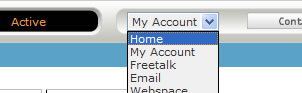
By using the top menu, go down to the 'My Account' choice.
You will now be displayed a new display within the main window - go to the 'password' tab. You will be able to change your password there.
Go 'back' to the page you were viewing
|
|

Pay as you go
No monthly charges. Access for the price of a phone call
Go>
Unmetered
Flat rate dialup access from only £4.99 a month Go>
Broadband
Surf faster from just £13.99 a month Go> |
Save Even More
Combine your phone and internet, and save on your phone calls
More Info> |
This weeks hot offer
 24: Series 5
In association with Amazon.co.uk £26.97 |
|




